Per i team di programma
-
 1:44 Mentornity Admin Panel at a Glance Take a tour of the admin dashboard of a structured mentoring program: to-do alerts, program health, the people list, custom profile fields, a participant's profile and program settings.
 -
 1:33 Inviting Participants and Onboarding Invite mentors and mentees one by one or import a spreadsheet, review applications, and design the onboarding steps, messages and agreements people see when they join.
 -
 2:16 Mentor Matching Rules and Fit Scores Add a matching rule live and see how it changes the fit scores. Compare a high-fit and a low-fit mentor–mentee pair, and pick a match from a ranked list.
 -
 1:38 The AI Matching Rule The AI rule reads what mentees hope to get from mentoring and what mentors offer, then scores how well they complement each other. See a strong and a weak pair side by side.
 -
 1:18 Matching Models and Settings Choose who makes the matches (admins, mentees choosing, or mentor approval), set limits, follow the matching list and actions log, and coordinate pairs from one place.
 -
 1:14 Meetings and the Session Plan Build a session plan with content for each meeting, set scheduling rules, use the Super Meeting Planner, choose video tools, and follow availability and every meeting.
 -
 1:22 Emails, Reminders, Posts and Events Send targeted emails with AI help and personal fields, automate reminders, publish posts and run events, and see who received and opened each message.
 -
 1:11 Tracking, Impact and Reports Follow live activity and to-do progress, collect feedback forms, measure goal progress with Development & Impact, and export reports as CSV, Excel or PDF.
 -
 0:51 Certificates for Program Completion Set certificate rules, see who qualifies, publish in one click, and let participants share verified certificates on LinkedIn.
 -
 0:56 Mentornity AI for Program Managers Ask your program a question in plain words and get a chart, key insights and next steps, then schedule recurring checks.
Per mentor e mentee
-
 0:51 The Mentee's Home and Journey What a mentee sees: the next meeting, match progress, to-do lists, forms and certificate progress.
 -
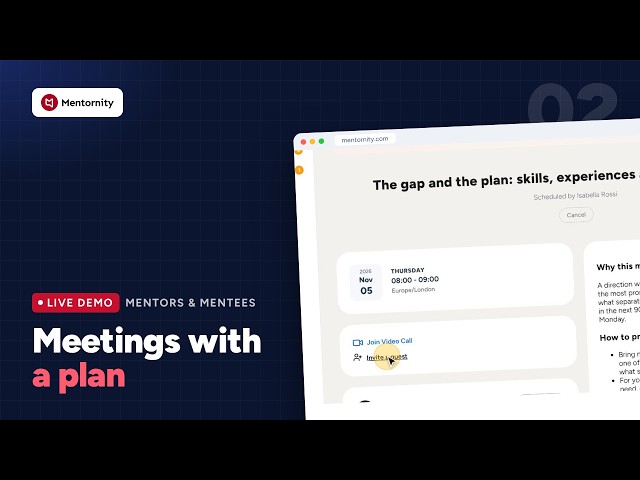 0:43 Meetings With a Plan Each meeting carries its session content: why it matters, how to prepare, questions to ask, shared and private notes, and before/after questions.
 -
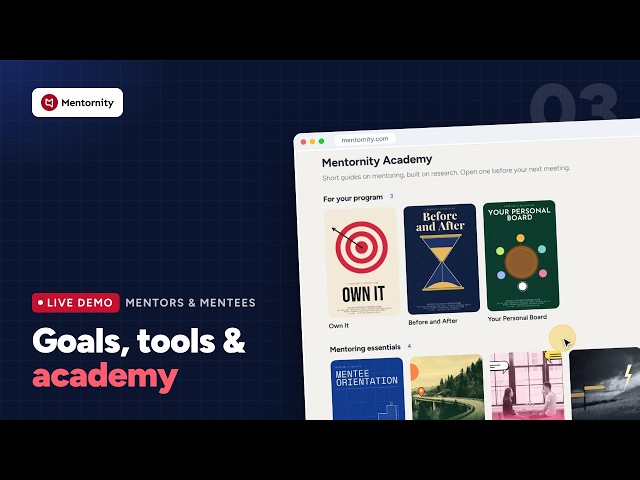 0:47 Goals, Mentoring Tools and the Academy Mentees set and track development goals, work through tools like a working agreement, and learn from research-based guides.
 -
 0:47 Choosing a Mentor In mentee-choice programs, mentees browse mentor profiles, filter by expertise and send requests within the program's limits.
 -
 0:59 The Mentor's Side Mentors review requests, publish availability, plan all sessions at once with the Super Meeting Planner, and send mentoring tools.
 -
 0:42 Messages, Posts and Events Members message their match, read and discuss program posts, and register for events.
 -
 0:53 Mentoring With Claude: the Mentornity Connector Members can manage meetings, availability and messages by asking Claude in plain words. Claude always asks before changing anything.
 -
 0:39 Mentornity on Your Phone The full program in the mobile browser, with no app to install.
Altre playlist
- Démo Mentornity : piloter un programme de mentorat de A à Z Une visite guidée de Mentornity, la plateforme des programmes de mentorat. Les premières vidéos présentent le panneau d’administration, les suivantes ce que voient les mentors et les mentorés. Chaque écran est le vrai produit, en français, enregistré dans un programme de démonstration.
- Mentornity for Startup Programs: Incubators, Accelerators and Startup Centers How incubators, accelerators and startup centers run a cohort on Mentornity: mentor office hours, founder profiles, events and venture development tracking. Every screen is the real product, recorded in a demo accelerator program.

